Make your site irresistible to visitors and Google
- Local SEO
- Customer Focused
- Great Support
Google My Business and Google Places are now referred to as Google Business Profile. This is also referred to as Local Search, which also includes the blue links on the same results page.
To get the most from your Google My Business listing Google recommends-:
Accept all reviews, positive and negative. Don't selectively solicit positive reviews or pressure customers to leave a particular review.
Don't pay for reviews or offer incentives like discounts or freebies for reviews.
Don't solicit positive reviews from employees or anyone affiliated with your company, and never post negative content intended to harm the reputation of your competitors.
Google leads the way as the most used platforms "consumers use to research local businesses". "Facebook has dropped in both usage and trust from 2020 to 2025".
Consumers no longer expect local buinsesses to have perfect 5 star ratings.
Spotting and dealing with fake reviews.
Trust in online reviews reached its peak in 2016 and 2017. Consumers are now more objective and lenient.
source: https://www.brightlocal.com/research/consumer-reviews-historical-trends/

The coveted "Google Local Pack" are the 3 businesses listed in search results as above. It is usually at the top of the first page in a search.
The term "local SEO" refers to a query that usually contains a city, suburb or region name. Hence the result above is success for local SEO Gold Coast.
2026 stats: For local searches, the Local Pack (Map Pack) generally captures more clicks than traditional organic blue links, with estimates often placing it at around 44% of total clicks compared to 29% for organic results. About 19% on average go to paid advertising.
We know that the content of a website affects the chance to appear in the Local Pack. So a well optimised local website works with your Google My Business listing and gives you an opportunity to gain a click. About 80% of those will be attributed to an Organic Search. They are good odds for local search.
Google does not give information about its algorithm but declares Relevance, Distance and Prominence factor in results.
How well the local Business Profile matches what someone is searching for.
How far your business is away the searcher. This depends on the type of search query being used. Whether it is general information or local specific information.
Prominence "refers to how well known the business is" which is often based on what information Google has about your business. An SEO works at making your business prominent across the web (links, articles and directories). "
"Your position in web results is also a factor, so search engine optimisation (SEO) best practices apply."
"Google review count and review score factor into local search ranking." Be wary of apps that artificially inflate reviews. Many sites with a small number of genuine reviews rank well.

These numbers are very relavant. The searches breakdown shows the top 5 searches that resulted in your profile showing in search results of Google My Business. Clicking See more allows you to see all of the searches that displayed. The numbers are displayed for search terms that had more than 15 views.
Platform and device breakdown numbers will give an idea of what the majority of users are finding you on. If mobile phone is a feature, your website must perform well on mobile phones. refer Responsive Website Design

This graph with numbers is the actual clicks from your Google Business Profile to your website.
Often a business with a good website will feature more prominently in Google Business Profile (see Google My Business and your website below).
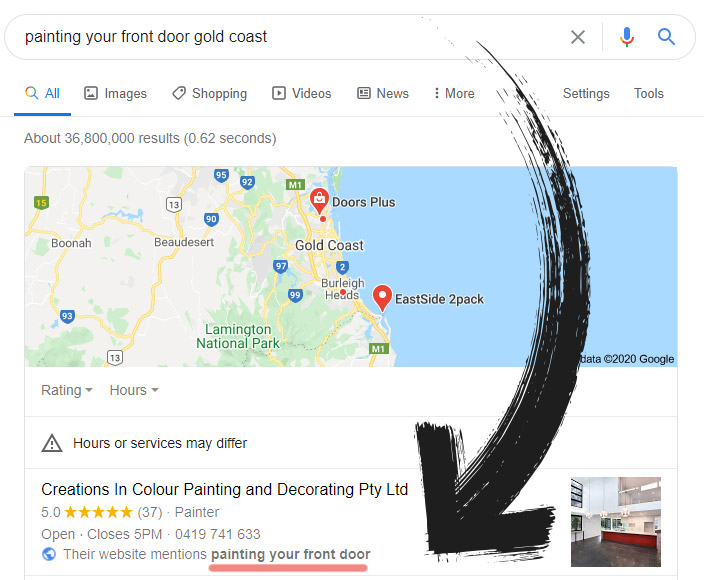
The relationship between your website and Google My Business, is really important. There is a symbiotic relationship between your website and your Google My Business profile. Notice in the image below a search on "painting your front door Gold Coast" comes up with my client's site in his Google My Business listing with "Their website mentions painting your front door"
The key is good SEO content will drive people to your site even if you are not #1 on the highest volume keyword. In this case Steve our PhD qualified researcher wrote an interesting article Painting your front door.
So we notice that your Google My Business listing is inter-related to your website, Google is simply trying to indicate the most relevant results. The site is well designed and fast, it loads in 1.24s.
Theory destroyed: you can change your address as long as it is a real business address.
After some previous bad experiences it was a concern when a client wanted to change their business premises address, especially if they were getting good map listings on it.
However recently a client changed her address to a nearby Southport address without any loss of listings - a gain actually because Google likes frequent changes to listings.
Ensure you claim your Google My Business Listing (see How to set up a Local Business listing below) and keep it up to date with your website. Setup a profile short name (2023 no longer available) ours is @GoldCoastSEO and can be included in links like https://g.page/GoldCoastSEO/ which links directly to our listing. Note profile short names are no longer offered in Google My Business, however existing names will be maintained.
We see sites that actively engage via Google My Business Apps doing well in map searches. Many people prefer to engage via text or messaging rather than a phone call.
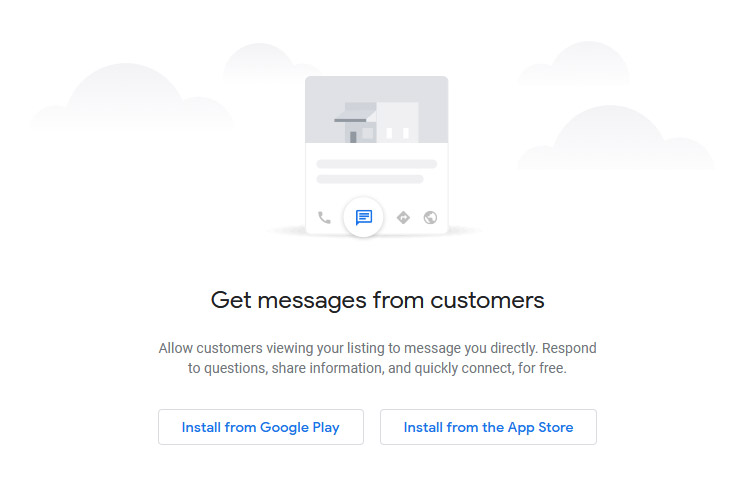
Ask for reviews and respond to them. You can use your profile short name to ask people to review you. You can also send review requests via the App, which gives a number of options including phone numbers and email. Assume Google can judge legitimate reviews. Google would know where the reviewer lives, so if you are a local home painter a review from an overseas IP address may be (should be) ignored by Google.
Google My Business (GMB) listings have a Place ID. The Place ID is a unique identifier assigned by Google to every location, including businesses, landmarks, and other points of interest on Google Maps.
1. Search for your business on Google Maps or Google Search:
Find your business listing on Google.
2. Inspect the page:
Right-click on the "Write a review" button and select "Inspect" or "Inspect Element".
3. Search for "place_id" or look for data-pid="*********":
Use the search function (Ctrl+F or Cmd+F) and search for the text "place_id:" or data-pid="".
4. Copy the Place ID:
The Place ID is a string of characters enclosed in quotation marks. Copy this string.
And place it in https://search.google.com/local/reviews?placeid=********
https://search.google.com/local/reviews?placeid=********
Test the link to check it works by placing it in a browser url bar (top of browser) - send this link to your clients and ask for a review.
1. On your desktop, go to your Business Profile and click on "ask for reviews".
2. Use the link or right-click and save the QR code.

2023 technique: with the abundance of questionable apps designed to enhance reviews one change from Google allows reviewers to add images of their experience. Encouraging reviewers to add images and mention their location and keywords can work well in your favour. Example: "Blair is an excellent painter and did a fantastic job painting the front door of our Labrador home". This review can make for good SEO, location based searches and Google My Business.
There are some apps that allow you to display latest reviews on your website. The
Manually showing reviews is also an option-:
We like to create blogs for clients with local SEO, so its good practise to promote that blog on the Google My Business account of the client. We use software that connects to our clients accounts and allows us to efficiently create a blog and post a snippet on the Google My Business account and other social media accounts as well. The post should link back to the site of the original content.
You can never have enough information about how your customers found you. You can check the queries people keyed in to find you. A good SEO strategy is to have all available information conveniently available to analyse which keywords to target and which pages are performing well. We have clients who's business depends on Google My Business clicks. These are not independent of their website, we also analyse Google Analytics (on site information), Google Console (organic search clicks) and have our own measures on blogs and some links.
Do you know which pages on your website have the best retention of visitors? This information is available via Google Analytics.
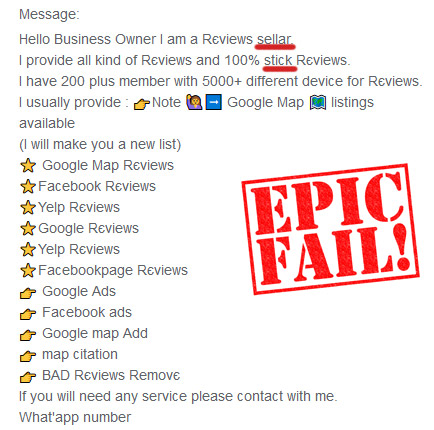
WARNING! (Feb 2018) Google takes listings in Google Business very seriously. Avoid handing control of your listing to an SEO unless you know the SEO personally. Your site can be penalised for spam entries. Be wary of anyone who is using a foreign IP address and producing fake reviews on your behalf. Google appears to be waging a crackdown on dubious SEO's. Google has a "Business Profile third-party policy: Report a violation" page for reporting dubious practises conducted by a third party on your listing.
Originally, a local business could create a listing for themselves on Google Maps by using Google Places. After the creation of Google Plus, Google also made it possible for businesses to create social pages on Google Plus and merge the two.
Google My Business is making local search results more relevant.
Often sites listed in the Local Business Center will be listed at the top of search results next to a map. This depends on the search query and the listings Google has.
There are advantages to being listed (any Google product has its advantages in Search Engines e.g. YouTube videos)
It allows you to confirm your listing via an automated PIN that can be phoned or posted to you to confirm your listing.
Note this seems to have changed to a post card only possibly to ensure only authentic addresses are used.
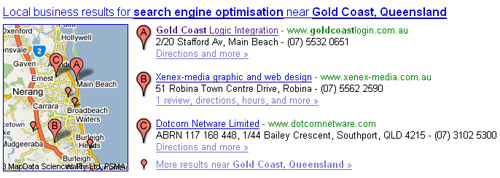
Refer Anatomy of a local Google Search for an analysis of the integration of Google My Business, Paid Ads and Organic Search results.
1 If you do not have a Google account you need to set one up - the one login can be used across many products. You can set one up at step 2.
2 Go to Google Local Business Center login to your account - enter the details of your business
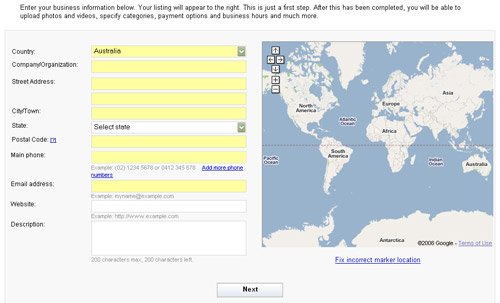
Google can locate you on its map from your address information.
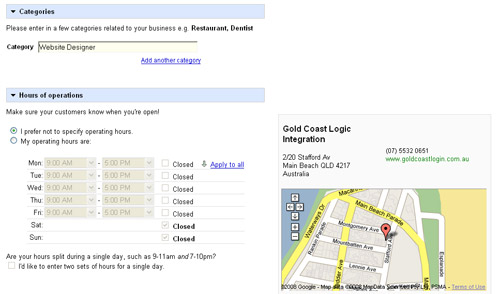
Enter your category - this is important to be listed accurately. There is other information you can also add like payments accepted.
There can often be problems updating a listing in Google places, with a lengthy verification period required.
Some people recommend starting a new account and deleting the old one when changing an address.
However this is risky as you may end up with no account being listed.
From Google Support: Actually, the correct procedure to change an address is to create a new listing and mark the old one permanently closed.
If you already have a listing in Google Local and need to change details of that listing try these steps :-
Check these posts for similar issues Google Places Posts
Google may penalise a listing if the address is not a business address yet claims to be. You may be asked to provide proof that business is carried out at the location.
You can specify an actual address but declare it as not as a place where people visit you.
A radius and specific suburbs can also be listed.
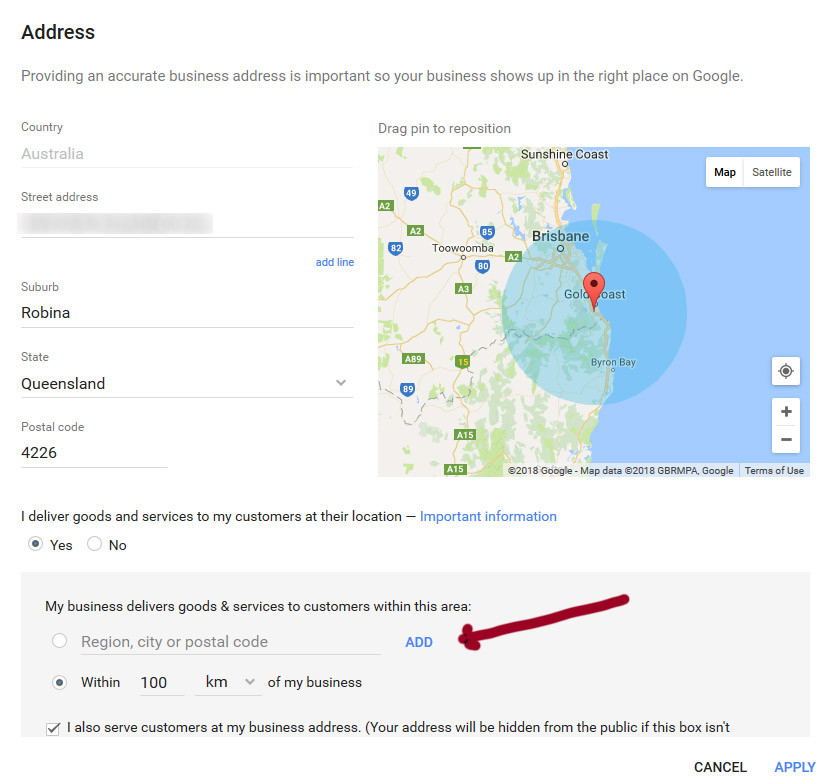
When you have an entry in Google Places you have a PlaceID. To get your ID go to Google's Tool for looking up your PlaceID
Your PlaceID will look like this ChIJSRFQ5voPkWsRcm-lkUkejxk
Construct your Review Me Link
Get your ID then construct the link with your PlacesID at the end eg https://search.google.com/local/writereview?placeid=ChIJSRFQ5voPkWsRcm-lkUkejxk
Google's instructions to Create a link for customers to write reviews
Google allows you to create a short review link like https://g.page/GoldCoastSEO/review
Notice your Google My Business page can now be referenced in a link like https://g.page/GoldCoastSEO based on the profile name you chose. Note this is now no longer available, however existing short links are still supported.
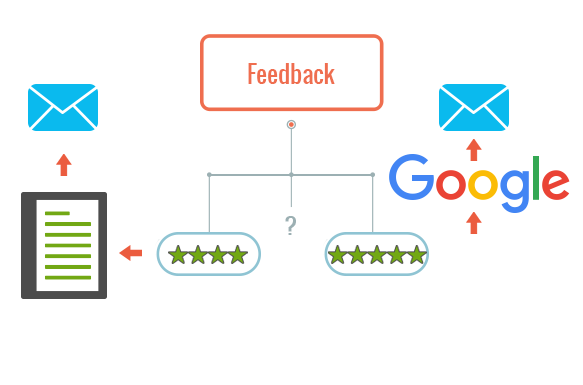
Genuine Google reviews are important. We create a feedback system for some clients that allow them to send a link to a client asking for feedback. It presents the opportunity to give typed feedback directly or go on to leave a Google Review.
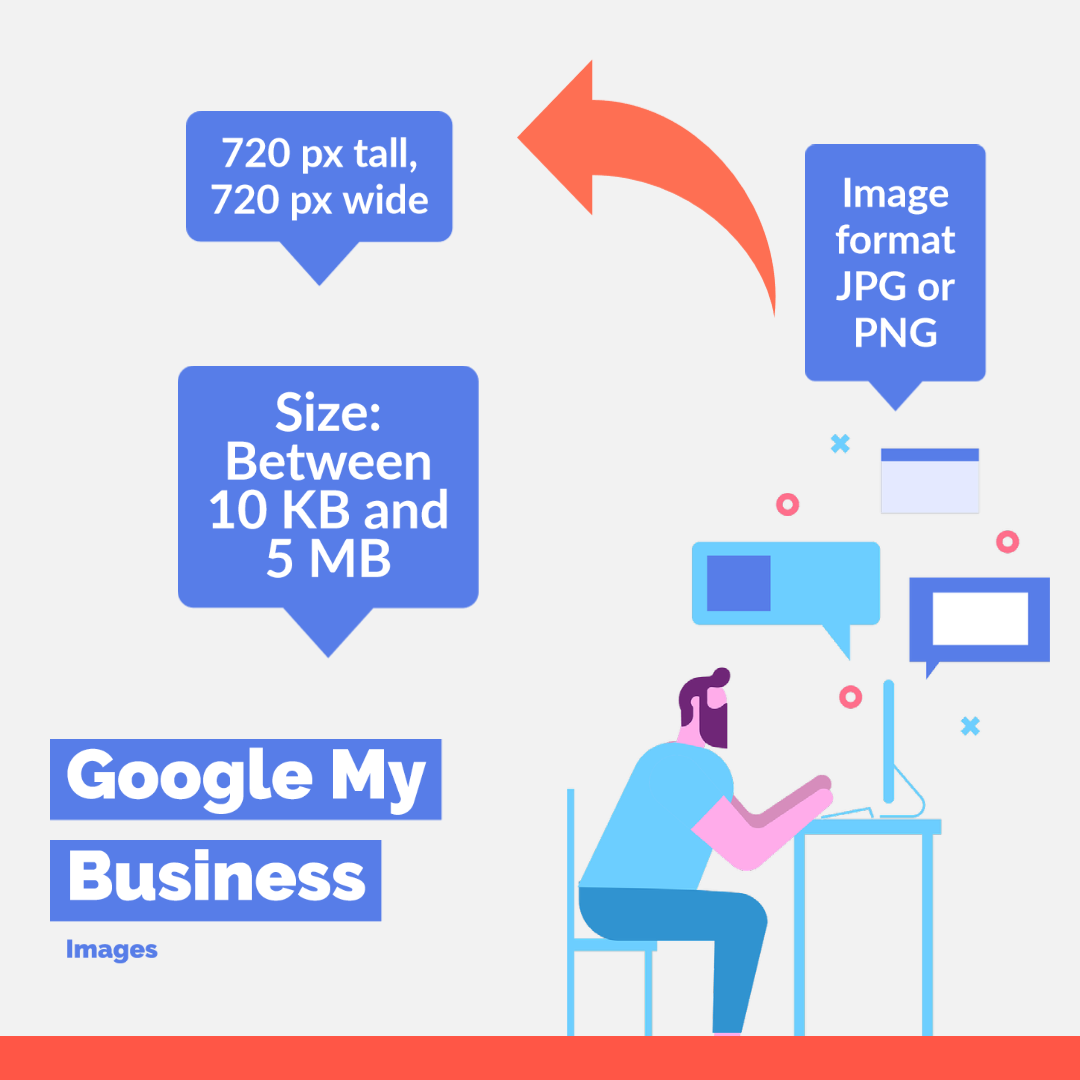
When you set a logo you are able to move, crop and rotate the image in Google My Business.
source: Add photos or videos to your Business Profile
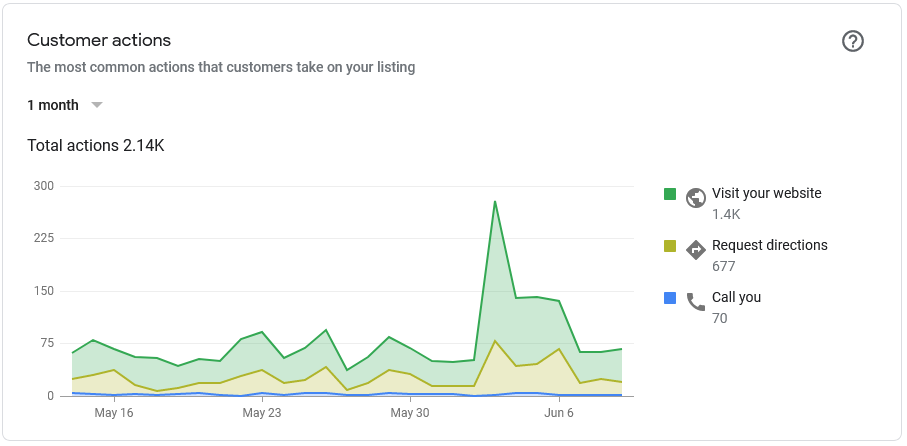
The Insights menu takes you to stats (as per above). These are only stats related to your Google My Business listing, not your overall search stats you would find in Google Search Console.
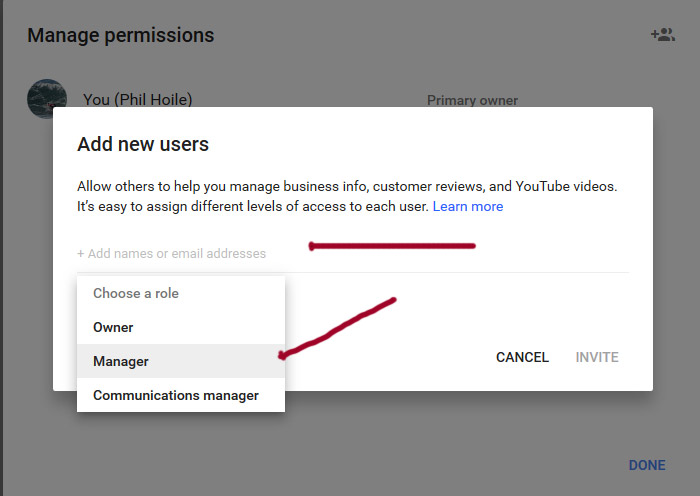
You can add users and give them roles. The users can be your website SEO or web developer or someone in your office.
Ideally you are the owner and the roles you issue allow others to add certain information to your account. This will allow you to reverse those roles in the future - for example when you discover the SEO did not live up to his sales pitch. (or simply outsourced to a foreigner)
1 Click Users on the Side Menu

2 Click Invite New Users

3 Add Users Email and Authority Use an email recognised by Google
A Google My Business listing for boats on a wharf were accidentally merged into 1 listing. Client A ended up with the merged listing which included reviews for client B. It took co-operation between the two businesses and weeks of emails back and forth to resolve.
Direct contact was required with Google and agreement over which reviews belong to which listing was required.
Being a wharf, the confusion was both entities had the same address. Google did allow the two listing to eventually stay as separated listings.
The distinction between Google+ and Google places (Google My Business) can be confusing. Google+ allows companies to have business pages similar to Facebook.
This is where your customers and clients can go to rate and review your business. This is more of a social perspective than Google Places.
You can, however, merge all of your Google Places information onto your Google+ Local page. In short, Google Places can still be used to manage your business listing, but it is Google+ that is likely going to give you all of your social engagement.
But sometimes it is confusing to know if your listing is actually a Google+ listing or a Google Places listing - to find out follow the steps listed above in Updating a listing in Google Local Places as this will definitively indicate whether it is a Google+ listing or a Google Places listing.
If you manage this yourself - great, however if you have someone else manage this (e.g. a marketing company) and your relationship ends you could be in for months of follow-ups to get your listing correct.
A Gold Coast SEO and Web Developer