Make your site irresistible to visitors and Google
- Local SEO
- Customer Focused
- Great Support
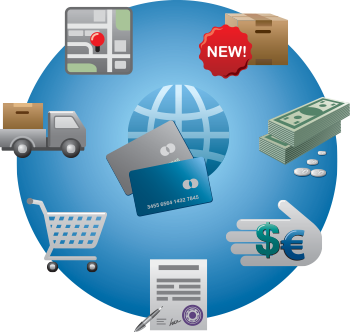
A custom shopping cart for a website allows multiple products to be added. The customer can continue to shop and add items to the cart.
There are various techniques for this, some will store temporary information in the session and retrieve it upon checkout. Others will store information in cookies or actually in a temporary database table.
The problem with normal web pages (html) is that they are static with no infomation being retained between calls to the server. Hence any shopping cart has to be able to record this information based on your visit. Most of this happens without any noticable effect to the user of the shopping cart. This info is only useful to help understand why a shopping cart isn't as simple as you may expect. You can store and retrieve information from any page - even static HTML pages can use advanced code to make calls to a database or recall information you need for a customer part way through a purchase.
PayPal follow the country codes and names that are defined by ISO 3166-1 (International Standards Organisation).
When creating a cart you need to ensure that the correct info is passed into PayPal.
You can test this by creating a developer account and testing your shopping cart without any cost.
You can pass info to PayPal about shipping costs and handling costs. Hence you can create a custom shopping cart with specially calculated shipping costs. For example this product cannot be shipped to this state or this product to this state has a rate per kg or a tiered rate.
In summary you do the following when creating the cart :-
Virtually any shopping cart can be integrated into the PayPal system including custom made shopping carts by your designer. Info from PayPal on this is available at Adding PayPal Checkout to Your third-party Shopping Cart
You can either pass the aggregate amount to PayPal or pass the individual products which will be itemised on the PayPal site via the information about the items will be included in the buyers' and sellers' History logs and notifications.
This is important to ensure your customers do not dispute any transactions.
You may not need a custom shopping cart - there are some excellent off the shelf shopping carts - many of which I have explored whilst conducting search engine optimisation for my clients. Generally they do require either you or your web developer to have a very thorough understanding of HTML and usually PHP and MySQL databases.
Some shopping carts need to be very complicated or else rendered useless quite easily. For example what if you want to vary sizes styles and prices of products without having to enter one product for every variation. This can easily equate to 1000's of entries.
Hence the cart may be cheap or even free but you have to manually enter so much info that it costs you or your staff a fortune.
A custom shopping cart allows for-:
Philip Hoile has lectured at Griffith University in e-business, advanced e-business, e-commerce and User Interface Design. A web developer since 1996 specialising in programming website Content Management Systems.
My interest in web marketing stems from a desire to improve client outcomes.
 07 55320651
 0423 926 852
Disclaimer Information is presented here that may go out of date or expresses an opinion. This does contain information from sources I have an association with (i.e. I use thier services)
Payment Gateways in Australia»
Instant Payment Gateway»
iPhone Payment Gateway»
Website Security»
Payment Gateway Comparison Tool»
Payment Gateway Case Studies»
Setting Up a PayPal Account»
How to setup a Shopping Cart with Paypal»
 Currently Stripe is my go to payment gateway
A Gold Coast SEO and Web Developer